Set it up
Add available inventory, sizes, prices, and the deposit required per sack.

Let customers reserve their crawfish through the Crawfish.com website and app. You set the inventory, sizes, prices, and deposit. We make the reservation process easy.
Customer-paid service fee. Your business keeps 100% of the deposits, minus $1 transaction fee.
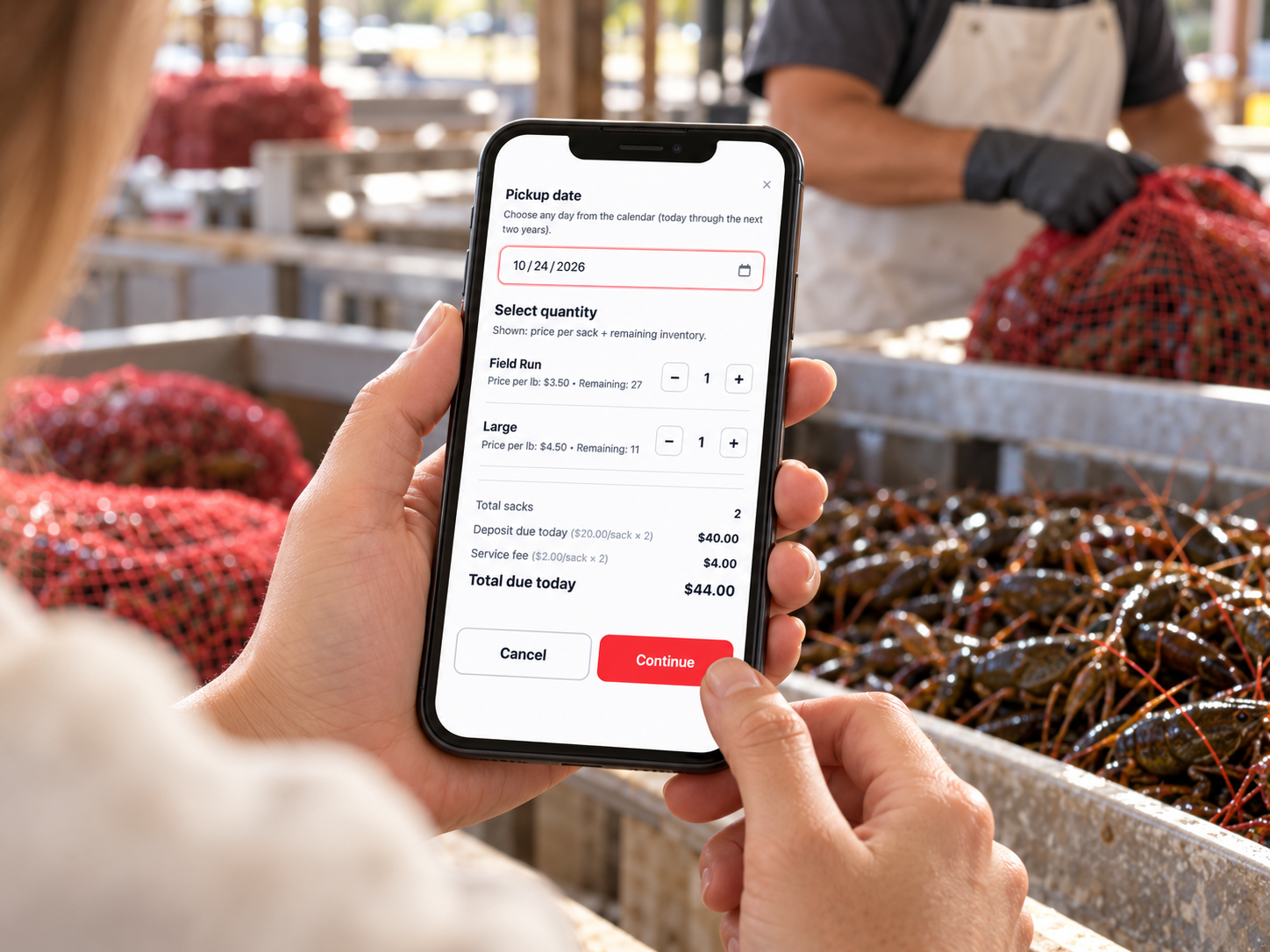
Give customers a clear way to book their sacks and give your team the details to prepare.
Add available inventory, sizes, prices, and the deposit required per sack.
Customers select a pickup date, choose their sizes, and enter their quantities.
Customers review their deposit and service fee, then pay through Stripe to confirm the reservation.
View bookings by pickup date and print a reservation list to help your team get ready.
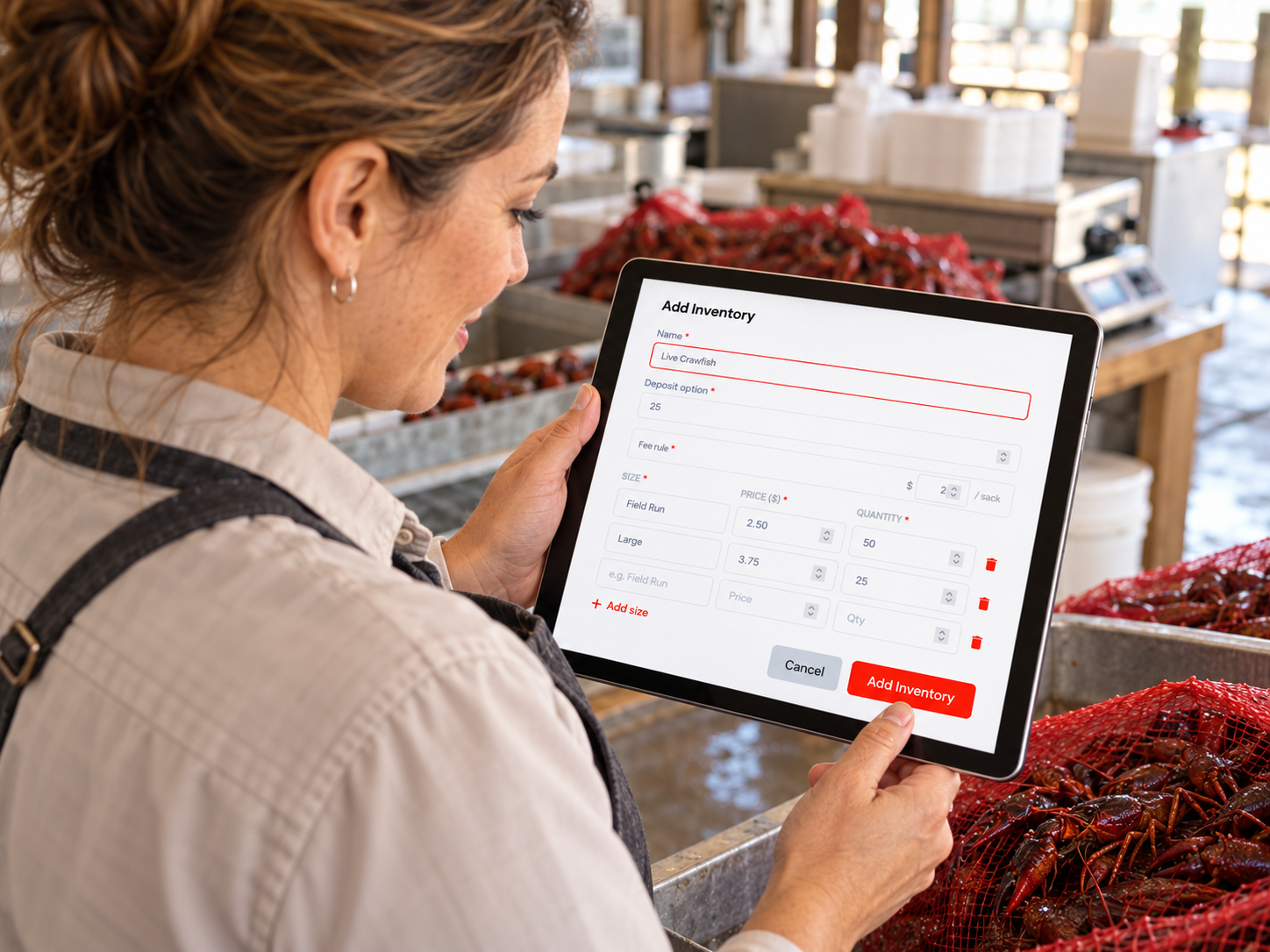
Offering Field Run, Large, or several size options? Make it easy for customers to see what is available and reserve what they need.
Minus a $1 transaction fee
Your business sets the deposit. The customer pays a small service fee per sack in addition to that amount.
The service fee is shown before payment and is not deducted from your deposit.
No guesswork at checkout. Customers see the deposit, service fee, and total due before they pay.
A $20 deposit per sack with a $2 service fee per sack.
| Deposit · 2 sacks × $20 | $40.00 |
|---|---|
| Service fee · 2 sacks × $2 | $4.00 |
| Customer pays today | $44.00 |
Illustrative amounts only. Your business sets the deposit; customers see the applicable service fee at checkout. The reservation payment covers the deposit and service fee, not the full crawfish purchase price.
Keep customer reservations organized so your team can see what has been booked and when customers plan to pick up.
Customers can reserve on the website or in the app—wherever they are planning their next boil.
Explore the App ↗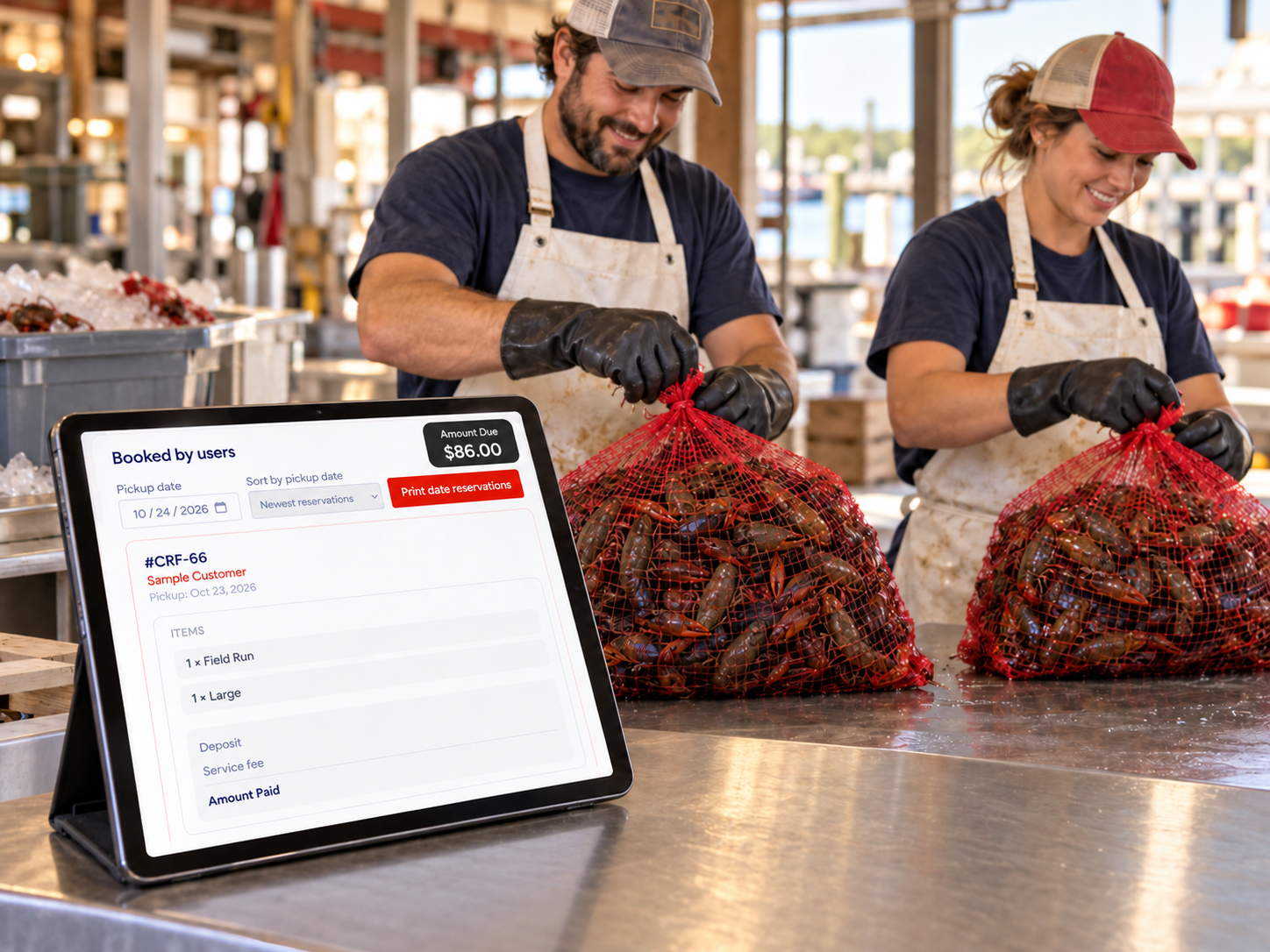
Your business does. Add your available crawfish sizes and set the price and available quantity for each option.
Your business sets the deposit required per sack. Customers see that amount during the reservation process.
The customer making the reservation pays a small service fee per sack. It is added to the deposit and displayed before payment.
No. Your business receives 100% of the deposits, minus $1 transaction fee. The customer pays the service fee in addition to the deposit amount.
No. The reservation checkout collects the deposit plus the service fee. It is not payment in full for the crawfish.
Customers review their reservation and are directed to Stripe to complete their card payment. After successful payment, the reservation is confirmed automatically.
Yes. Customers select a pickup date during the reservation process and review it before paying.
Yes. Filter your reservations by pickup date and print the reservation list to help your team prepare.
Yes. Customers can make reservations through the Crawfish.com website and app.
Set your inventory. Choose your deposit. Give customers an easier way to reserve their sacks for the next boil.
Your inventory. Your pricing. 100% of the deposits to you. (minus $1 transaction fee)