I’m Looking for Seafood
Search by location, explore focused seafood listings, check details, find events and specials, and save favorite places.
See the customer steps →
Find crawfish, seafood restaurants, markets, vendors, events, and local specials—or claim your business and connect with nearby customers.
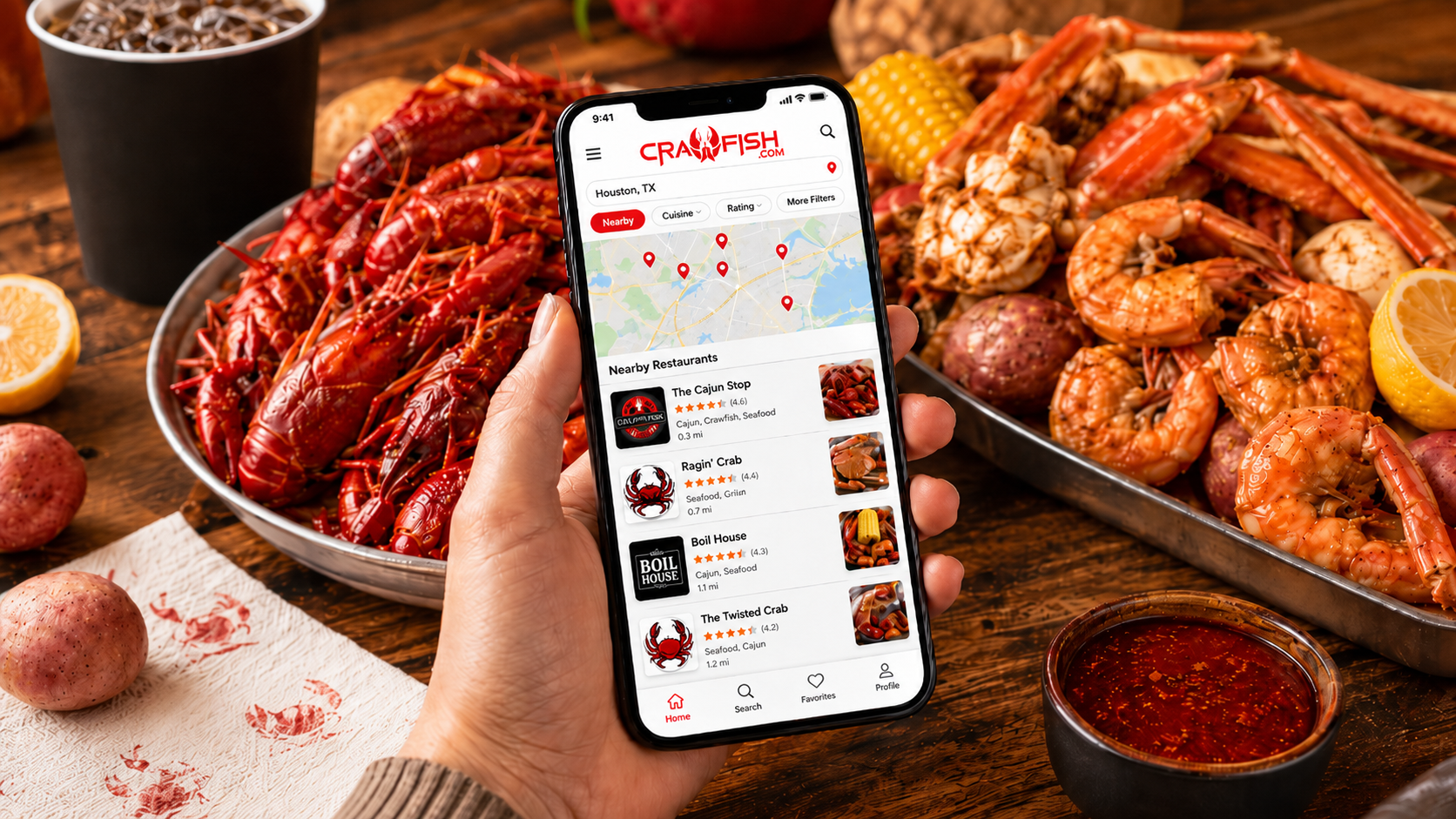
Customers discover what is nearby. Business owners keep their listings current and promote what is happening.
Search by location, explore focused seafood listings, check details, find events and specials, and save favorite places.
See the customer steps →Claim your listing for free, keep business information accurate, publish specials and events, and communicate with customers.
See the business steps →Use Crawfish.com wherever you are—near home, on the road, or planning your next seafood outing.
Use your current area or search another location to discover crawfish and seafood businesses there.
Explore restaurants, live crawfish vendors, seafood markets, boil houses, food trucks, and related businesses.
View available business information, websites, ratings, reviews, events, specials, and ways to connect.
Favorite the places you want to remember so trusted seafood spots are easier to find next time.
Claiming a Crawfish.com business listing is free. Once approved, you can manage how customers see and connect with your business.
Visit the business claim portal and search for your restaurant, market, vendor, or seafood business.
Follow the claim process and provide the requested information so ownership can be reviewed.
After approval, keep customer-facing details such as your business information, category, website, and menu details accurate.
Create specials, promote events, and communicate directly with customers through the app’s messaging service.
Free for business owners: There is no charge to claim and manage your Crawfish.com business listing.
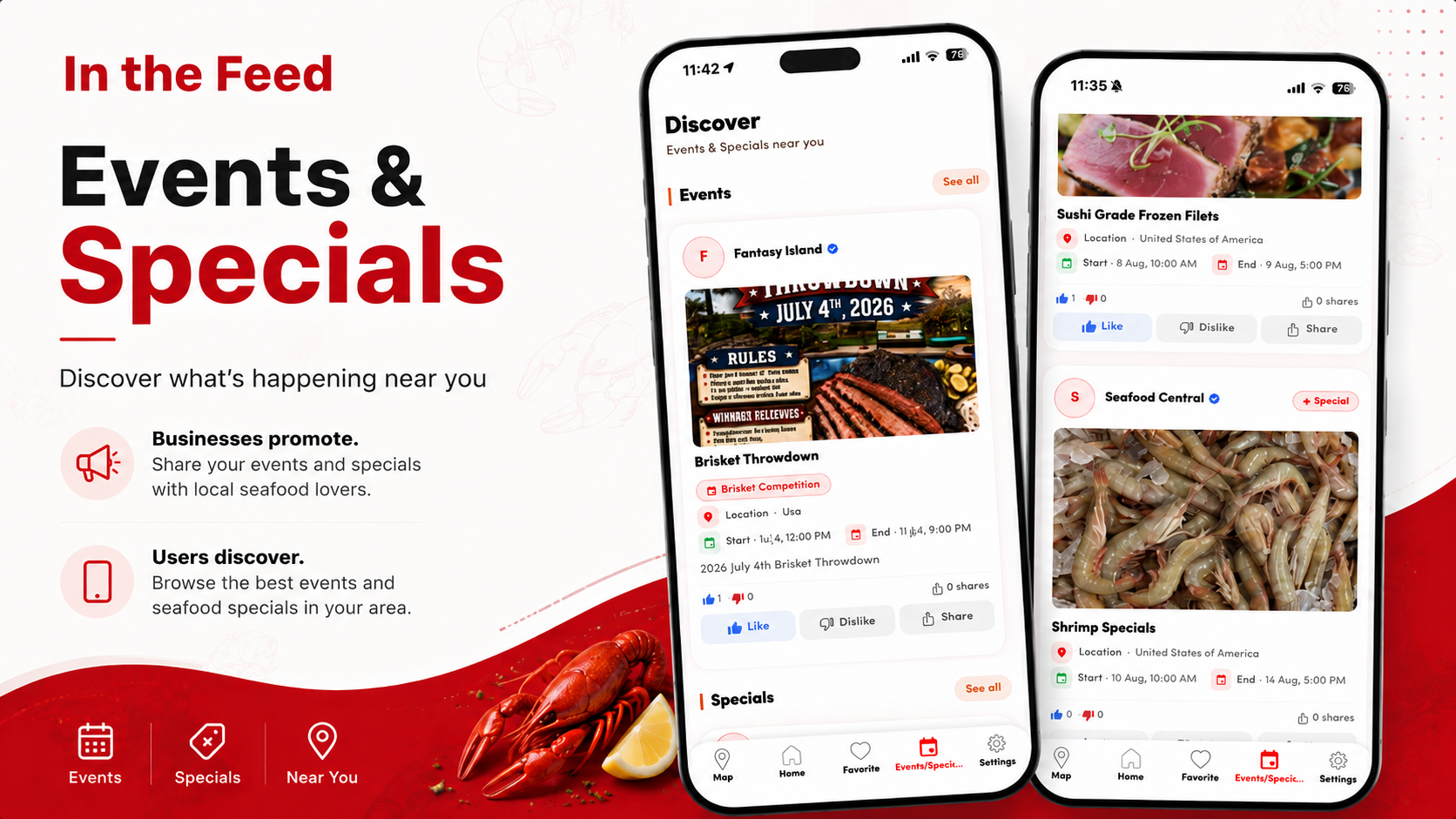
Events and specials appear in a public, location-based feed so customers can find timely seafood experiences and offers.
See seasonal crawfish availability, seafood deals, happy hours, and limited-time offers.
Discover crawfish boils, seafood festivals, tastings, live music, and restaurant events.
Browse the map or searchable listings to see what is happening near the location that matters to you.
Quick answers for seafood lovers and business owners using Crawfish.com.
Crawfish.com is a seafood-focused discovery app that helps people find crawfish and seafood restaurants, markets, live crawfish vendors, events, specials, and related local businesses.
Listings can include crawfish and seafood restaurants, live crawfish vendors, seafood markets, Cajun restaurants, boil houses, food trucks, seafood suppliers, oyster bars, catering companies, and other seafood-focused businesses.
Yes. Search the location you are visiting to explore seafood businesses, specials, and events in that area.
You can open Crawfish.com online or download the mobile app from the Apple App Store or Google Play.
Open the app, choose your location, and browse seafood-focused listings in the area. You can review available business details before deciding where to go or who to contact.
Yes. Favorite restaurants, vendors, markets, and other seafood businesses so you can find them more easily later.
Open the public Events & Specials feed. Offers and events are shown geographically on the map and as searchable listings based on the area you are exploring.
A listing can include business information, website links, ratings, reviews, menu details, specials, events, and direct ways to connect. Available details may vary by business.
Yes. Crawfish.com allows business owners to claim and manage their listings for free.
Go to the Crawfish.com claim portal, find your business, and follow the steps to submit your claim for review.
You can manage customer-facing listing details, keep business information accurate, create specials, promote events, and communicate with customers through the app’s messaging service.
You can promote seasonal crawfish availability, seafood deals, happy hours, limited-time offers, featured menu items, and other timely promotions relevant to your business.
Examples include crawfish boils, seafood nights, festivals, tastings, live music, community events, vendor pop-ups, and other local promotions.
Claimed businesses can communicate directly with customers through the Crawfish.com messaging service inside the app.
Explore nearby seafood businesses, events, and specials—or claim your listing and start managing how customers discover you.